

On this page
In short
How to hand date planning to HoneyBee Match:
- Send an availability request once both people say yes, and see where their times overlap.
- Confirm the time and venue, and both people get a calendar invitation.
- Let reminders go out before the date on their own.
- Send a feedback survey after the date, with your own questions.
- Use the saved feedback to plan the next match.
For most matchmakers, the work after the introduction takes the most time: finding a time that suits both people, reminding them, and asking each one how it went. Done by text, it fills your evenings and leaves the feedback scattered across message threads.
Here is how to hand that work to your CRM, step by step, using HoneyBee Match.
1. Ask both people when they're free
Once both people say yes to a match, send an availability request from the date instead of messaging back and forth. Each person gets a link by email or text, picks the times that work, and HoneyBee shows you where their times overlap. If someone hasn't answered after two days, HoneyBee sends a reminder for you.
2. Confirm the date and send the invitations
Pick the time and the venue, and HoneyBee sends both people the details with a calendar invitation and a link to confirm. You see who has confirmed on the date itself.
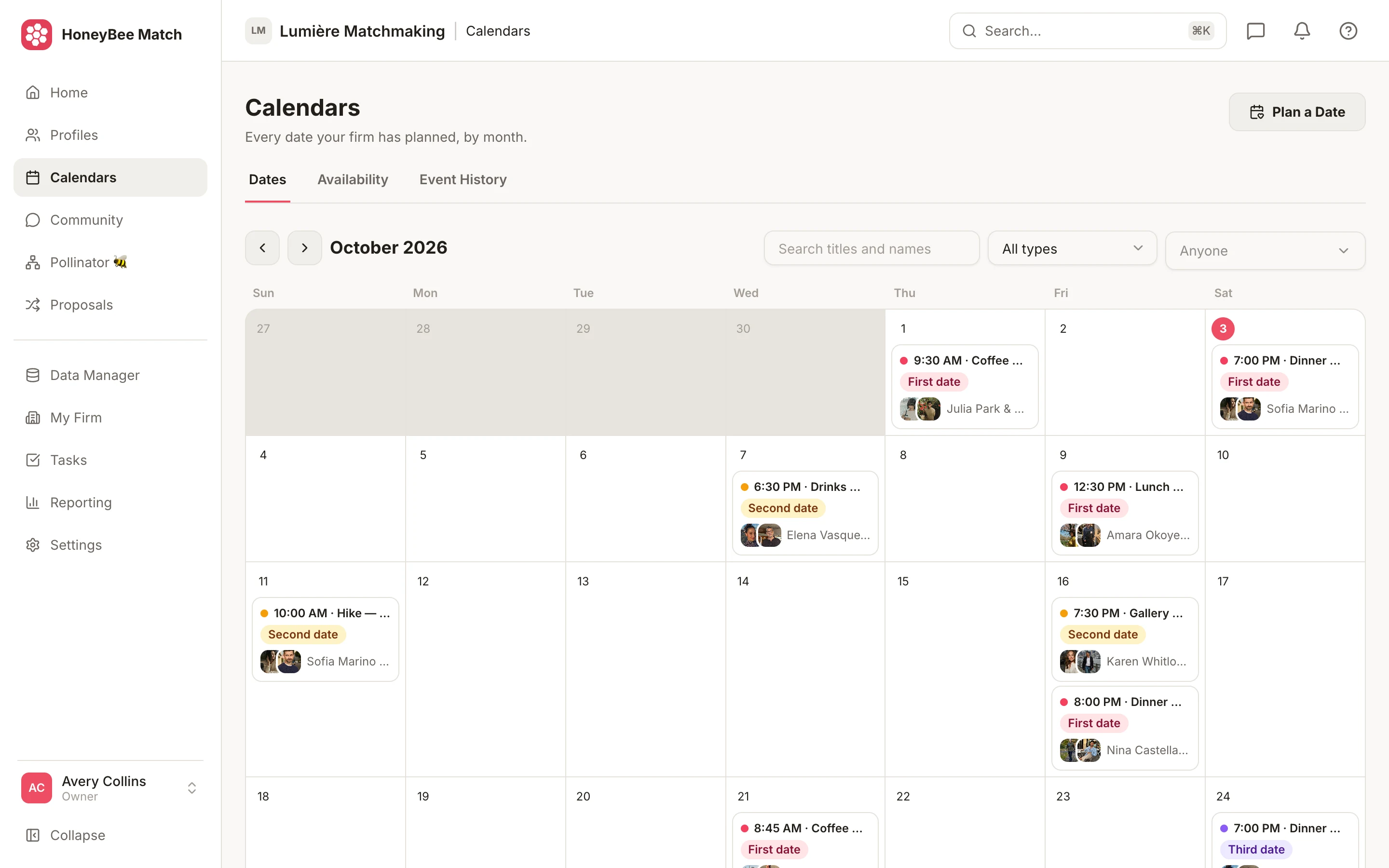
3. Let the reminders go out for you
Before the date, reminders go to both people automatically. You no longer set an alarm to text each of them the night before.
4. Collect feedback automatically
After the date, each person gets a feedback survey by email or text. Customize the questions to fit your business. The answers are saved on the date and on each person's record, so your whole team can read them.
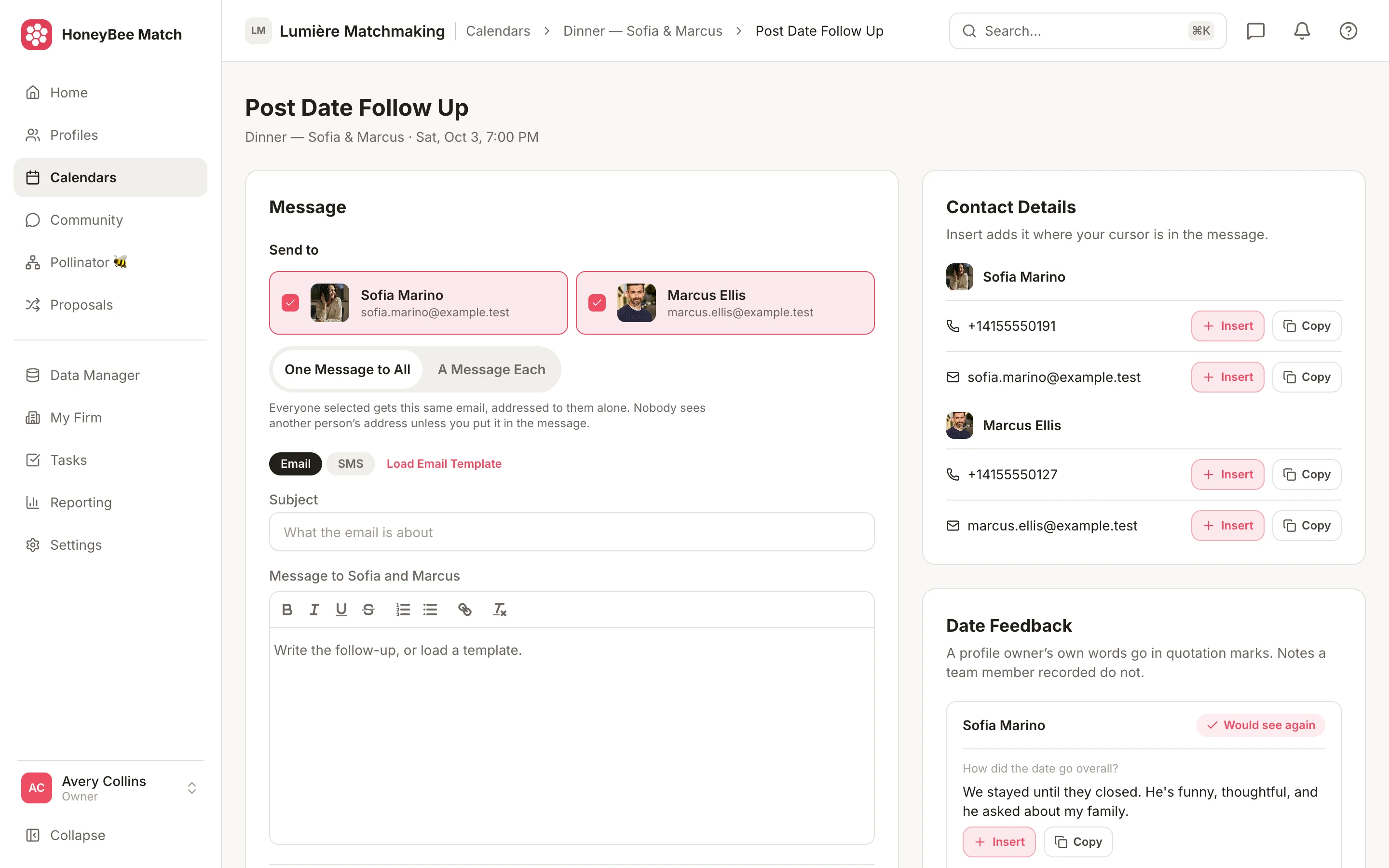
5. Use the feedback for the next match
With every date and its feedback in one place, your next suggestion starts from what you learned, not from memory. Send a personal follow-up from the same screen when someone needs a conversation rather than a survey.
What changes for your business
Your evenings stay free, every client gets the same polished experience in your brand, and the date history lives with the client instead of in your phone. See how this fits a boutique matchmaking business, compare HoneyBee with a generic CRM, or start a 30-day free trial.

“It automates my workflow and completely curates my client experience.”